
EazSell

نقاط بيع المبيعات الميدانية

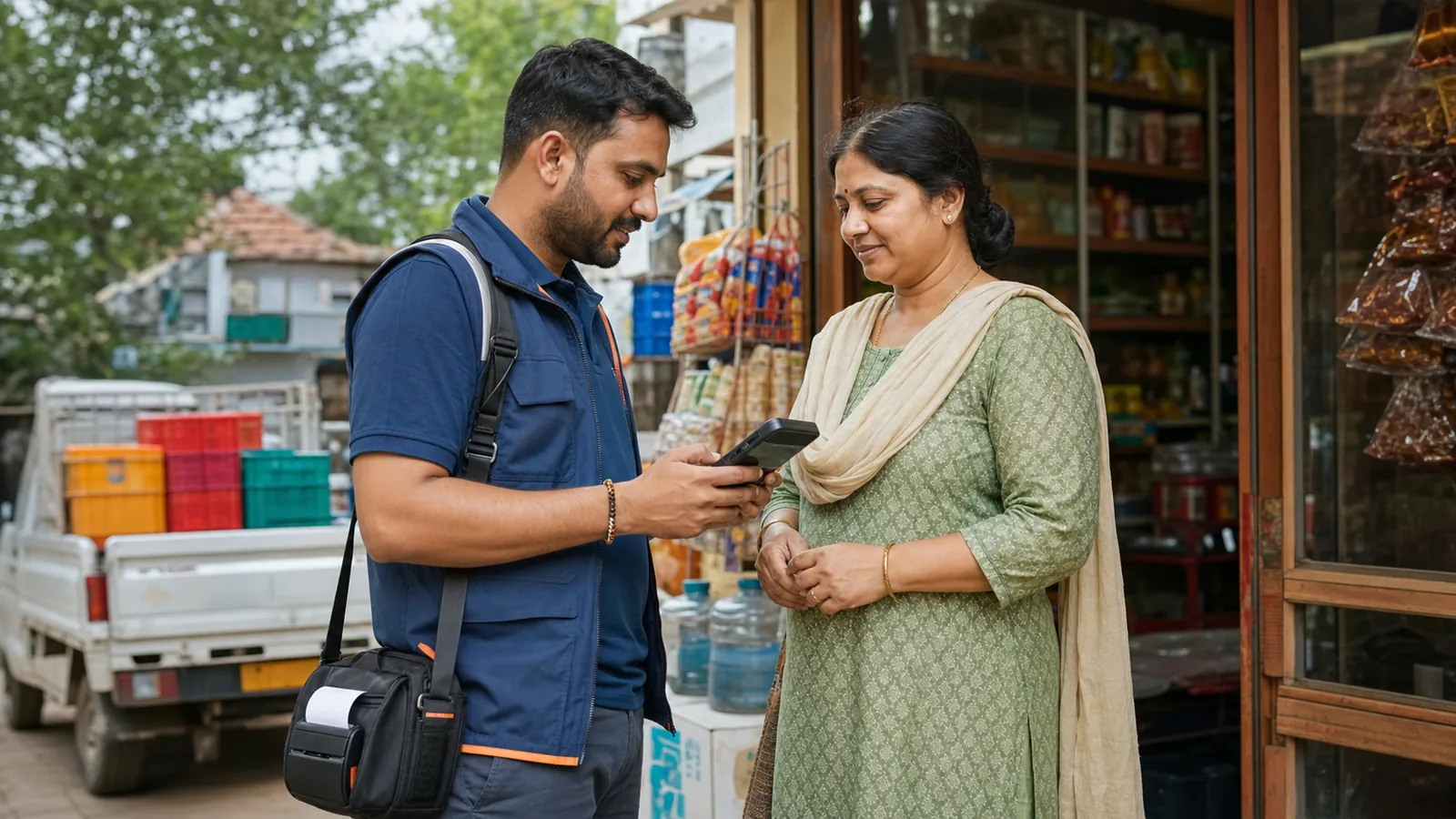
Create invoices and print receipts during deliveries, van sales and customer visits, even when there is no fixed counter or reliable internet.

Field sales representative using a handheld Android POS with a portable receipt printer
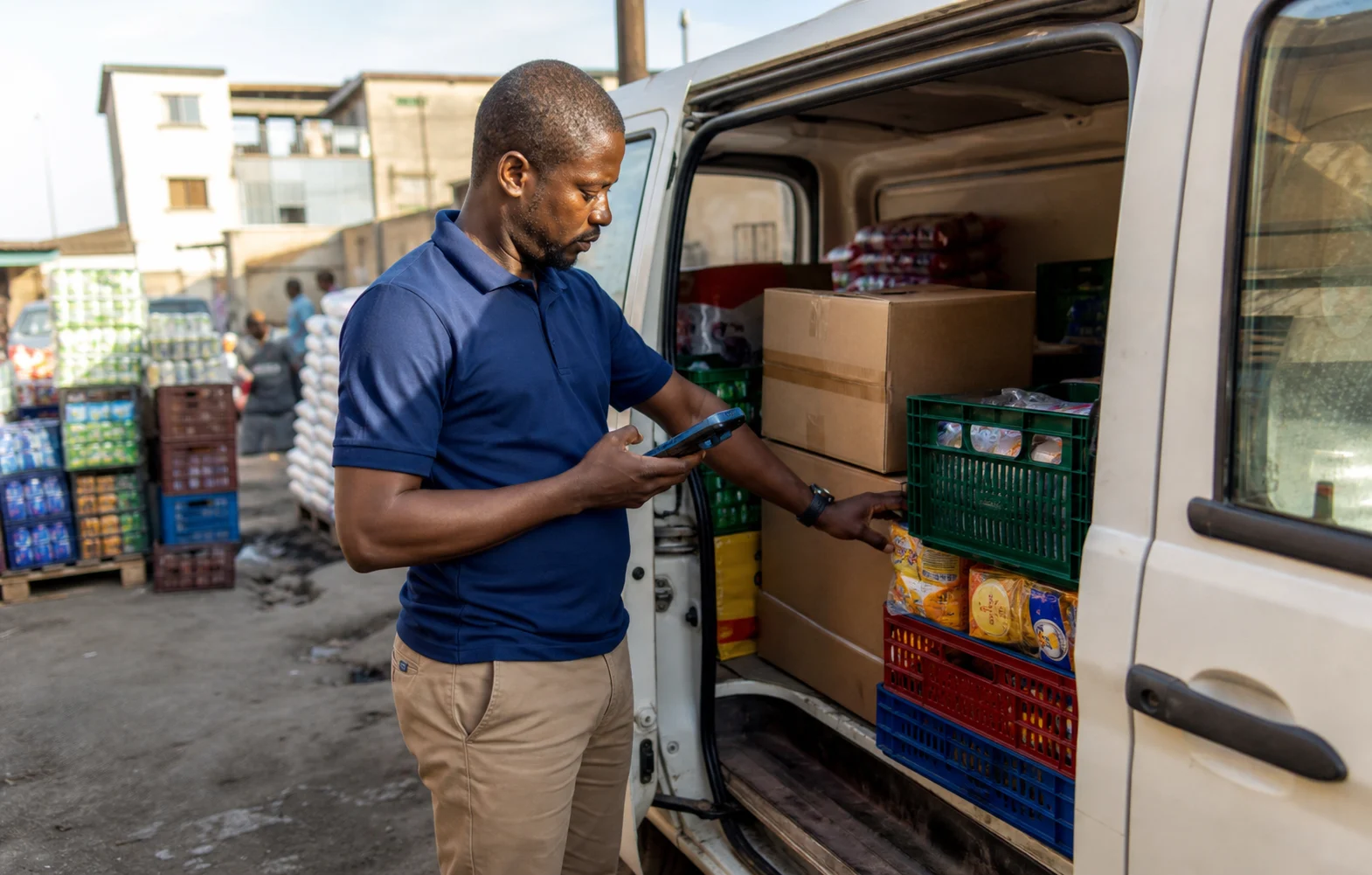
Field sales representative checking packaged goods beside a delivery van with an Android handheld

Selling beyond the counter

Create, print and reconcile sales where customers are.

Field teams can complete the sale on an Android handheld instead of writing it down for someone else to enter later. Supported offline work stays visible until the connection returns and the office can review it.

Built for the way your industry works.

See the screens your team will use at the counter, in the stockroom or while visiting a customer.

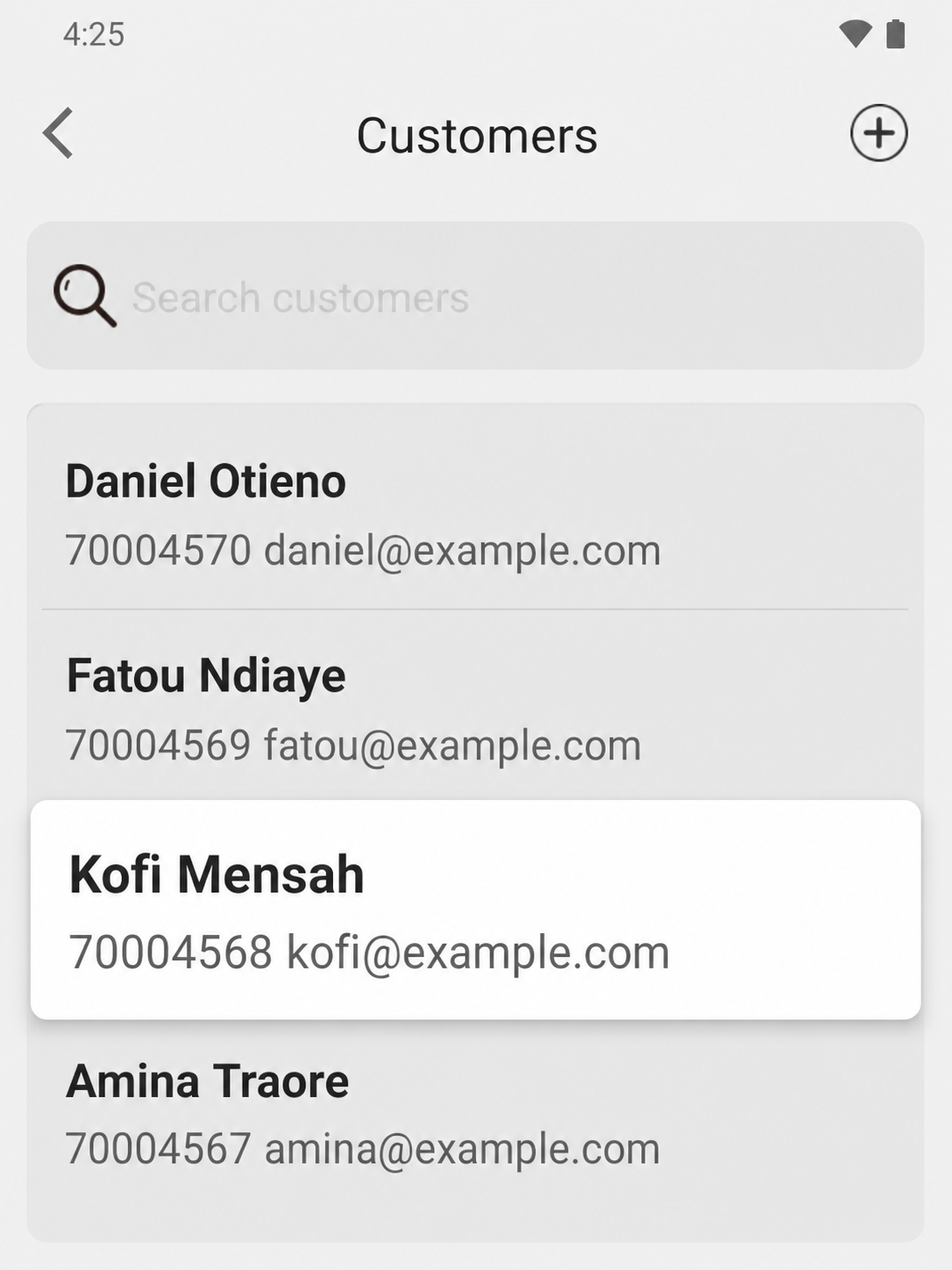
EazSell Android customer list showing several fictional customers with the selected record highlighted
01

Customer records

Know which customer you are visiting.

Search the customer list and choose the right account before building the sale. The selected name and contact details stay clear, even when several similar customer records appear together.

For delivery, van sales and territory teams, this reduces the chance of putting an order on the wrong account. The representative can also confirm the customer before discussing products, payment or follow-up.
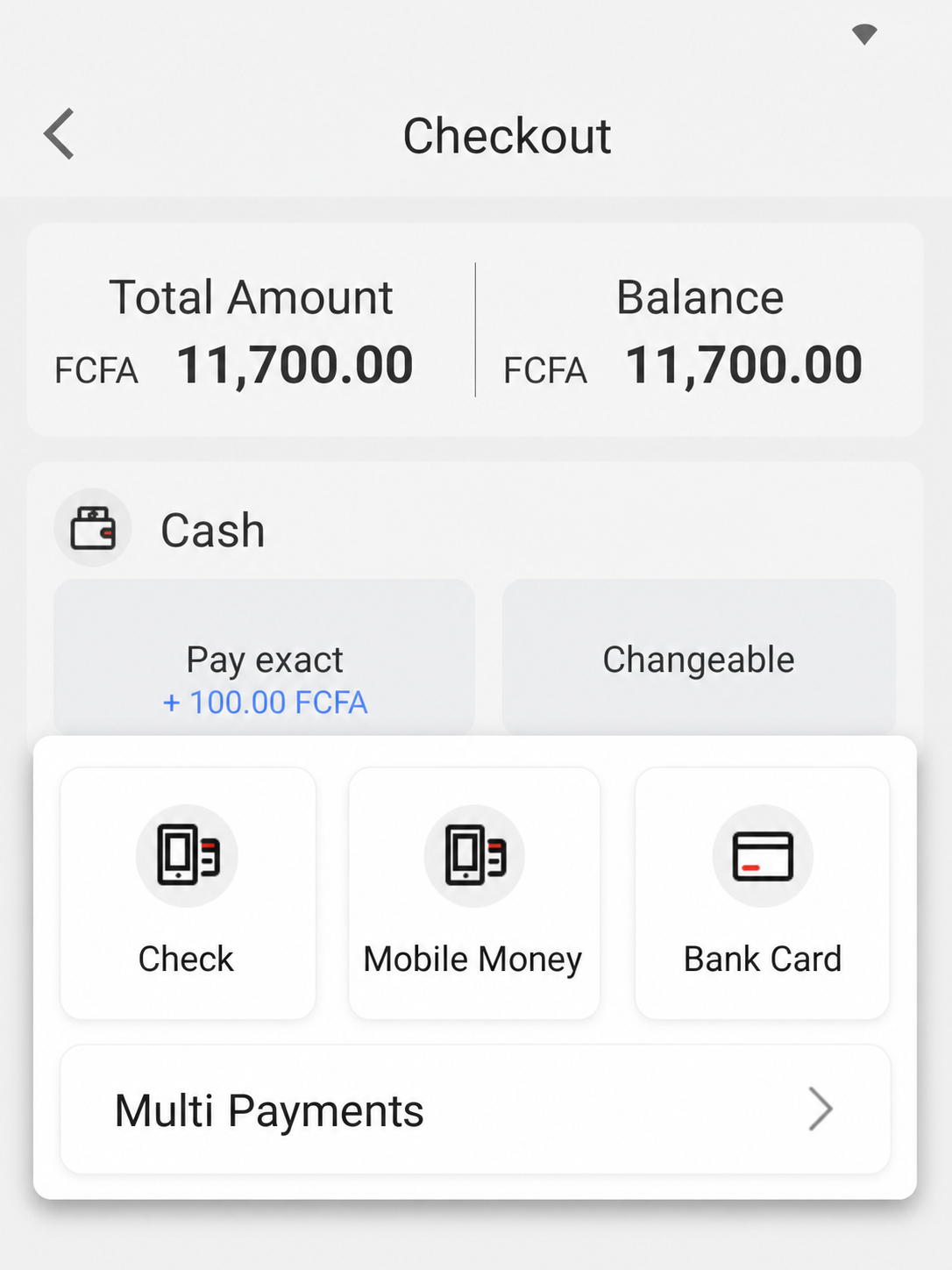
EazSell Android checkout showing Cash, Mobile Money, Bank Card and Transfer payment options
02

Flexible checkout

Let customers pay the way they prefer.

Record cash, Mobile Money, bank card, transfer or a split payment from the checkout screen. The total and remaining balance stay visible while the representative collects payment.

Customers in the field do not always pay the same way. Keeping the method beside the sale saves the representative from writing a separate note for the office to reconcile later.

Make the busiest parts of the day easier.

Bring the till, invoice checks and daily records together so staff have fewer tools to manage and fewer details to enter twice.

Issue invoices away from the counter

Create the sale on an Android handheld, phone or tablet instead of returning to the office for duplicate entry.

Work through weak networks

Save eligible sales locally and keep the offline queue visible until the device reconnects and each item has an outcome.

Reconcile field activity

Bring sales, payment records, invoice status and stock movement back into a shared record for office review.

See how a sale moves through EazSell.

Staff can follow familiar steps from the first item to the final receipt, while EazSell keeps the business record up to date.

  1. 1

    Select

    Choose items and quantities at the customer location.

  2. 2

    Validate

    Check the required fiscal details before issue.

  3. 3

    الطباعة

    Use a supported mobile or Bluetooth receipt printer.

  4. 4

    Queue

    Keep eligible offline work visible on the device.

  5. 5

    Reconcile

    Synchronize and review the outcome when online.

Choose a setup that feels right for your team.

Use EazSell on a compatible Android device and printer suited to your counter, mobile team and local requirements.

  • Handheld Android POS with an integrated printer for mobile teams
  • Android phone or tablet with a Bluetooth receipt printer
  • Vehicle or office charging accessories suited to the deployment environment

See how EazSell fits your business.

Tell us how your team sells today. We will show you the checkout, invoice, offline and hardware options that matter to you.

اطلب عرضاً توضيحياً